
How to Search Kerr County Cases by Name
Open the Kerr Odyssey Public Access portal. You land on a selector for location and category. The menu lists Civil, Family, and Probate Case Records alongside Criminal Case Records. Four more options follow: Jail Records, Jail Bond Records, Law Enforcement Records, and Incident Records. Pick a court-case category first. Then type the name. Keep that in mind. Those last four labels are not other names for a court docket.
- Open the current Kerr portal and select the location or All Courts when appropriate.
- Choose Civil, Family, and Probate Case Records or Criminal Case Records, based on the known matter.
- Enter the available party information. Narrow broad results with court, type, or date controls shown by the live portal.
- Compare each result's court, case number, filing date, and category before opening its detail.
- Record the case number and contact the correct clerk if the match or current status remains uncertain.
The exact Tyler labels after you pick a category shift from time to time. Trust the live controls on the screen rather than a memorized form.
| Visible field or choice | Type | Required | Use |
|---|---|---|---|
| Select a location | Selector | Portal-controlled | Narrows the court source; All Courts is visible |
| Record category | Selector | Yes | Separates court cases from jail, bond, incident, and law-enforcement records |
| Party or case search | Live search control | Varies | Use a case number when known and verify current labels |
| Date or case-type filters | Live controls | No | Reduce false matches when the selected flow offers them |
Kerr County Odyssey Categories Matter
That landing page doubles as a warning. A name can pop up in Jail Records or Incident Records. That is not a court ruling of any kind. Jail Bond Records track a separate stream of paperwork. Law Enforcement Records answer to a different office entirely. For a Kerr County case lookup, the safe move is to stay inside the civil, family, probate, or criminal case category. Step outside only when that other record is what you truly want. The official Kerr Odyssey landing page lays out these categories before any search begins.
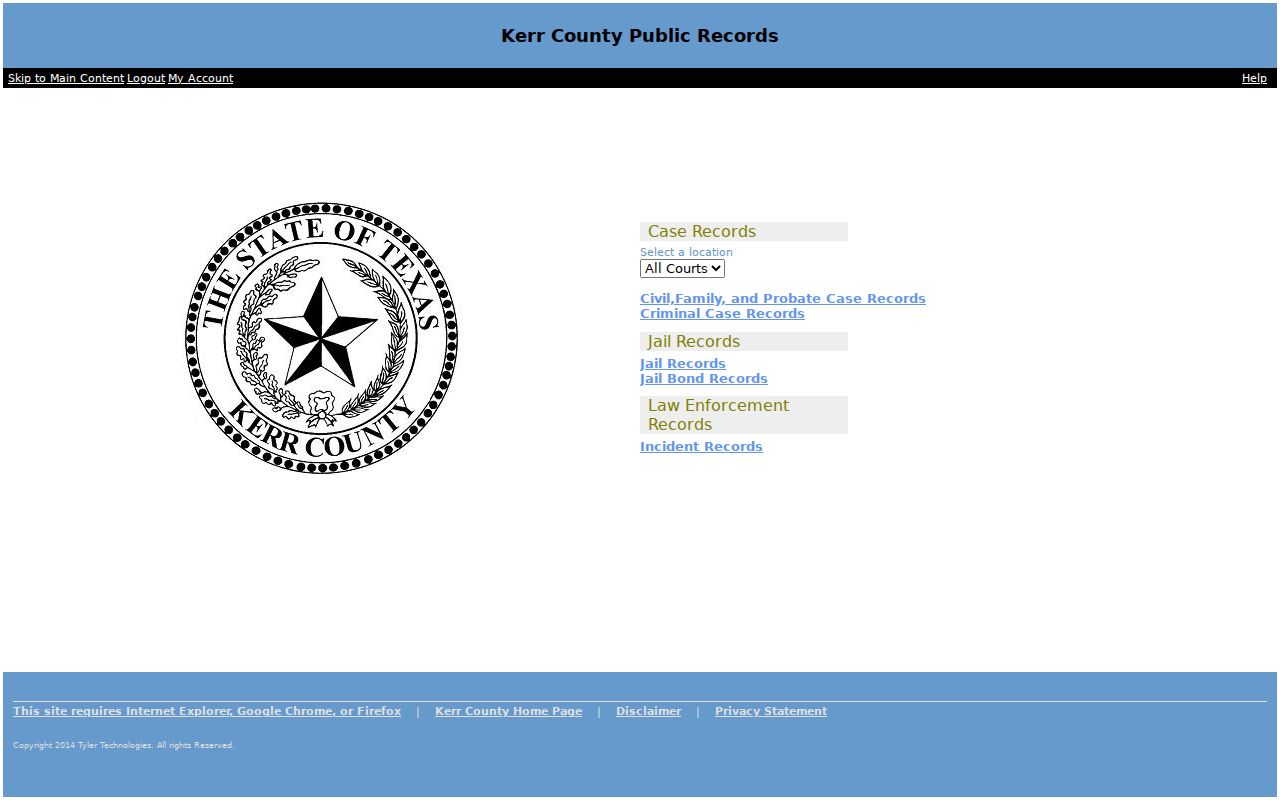
The category split guards against one common mistake: reading any county database result as if it were a case docket or a final judgment. It rarely is.
Match the record type first. A court-case result may list filings and settings. A jail, bond, incident, or law-enforcement entry answers a different question and cannot establish the court's outcome.
How to Search Kerr County Cases by Number
A case number beats a name every time. It points to one file and routes your question to the right clerk. The District Clerk says felony numbers begin with A or B. County Clerk guidance tags misdemeanors with the CR prefix. No official source spells out the full year-and-sequence pattern. So treat the prefixes as routing clues rather than a complete numbering formula. Type the number exactly as printed on the notice, order, citation, or clerk receipt. Keep its punctuation if the portal accepts it. When nothing comes back, follow the live search's format cues. Confirm you picked the right record category. Then call the clerk's office. District civil, family, and felony files sit with the District Clerk. County misdemeanors, probate, guardianship, and constitutional County Court files generally route through the County Clerk. County Court at Law civil filings, per the official court page, go through the District Clerk. A known number also cuts down false matches. Shared names, stray initials, and spelling changes cause trouble. Old addresses can, too. They can all point a name search at the wrong person.
Avoid False Kerr County Name Matches
A name alone will fool you. Before treating a row as the right Kerr County case, pause and compare. Check the court, county, case number, filing date, and case type. Common surnames drag up unrelated civil and criminal files. One party can show up in several matters at once, too. An old case may even hold a later filing event. Stripped of context, that event looks current.
| Court | Confirms whether the file belongs to a district, county, probate, JP, or municipal court. |
|---|---|
| County | Distinguishes Kerr County from a statewide result in another participating county. |
| Case number | Links the result to a specific notice or clerk file. |
| Case type | Separates civil, family, probate, and criminal matters. |
| Filing date | Helps distinguish matters involving similar names. |
| Status or event | Shows a recorded stage, but must be read with the docket history. |
Leave the sensitive fields out. Do not search with a birth date, driver-license number, Social Security number, or protected address. Non-sensitive case fields are the safer basis for a public match.
What a Kerr County Case Search Shows
A search result can show a case number, caption or party listing, court, category, filed date, status, and procedural events. A docket entry says a case was filed, set, continued, dismissed, pleaded, deferred, convicted, acquitted, or sentenced only when the record itself uses that exact term. An arraignment just marks a stage. A bond entry only describes release conditions. Neither one proves guilt. What you see online can differ from the full clerk file. An index may list a document without its image. A setting list shows a hearing but skips the pleadings, orders, discovery, or a later reset behind it. A downloaded document is not a certified copy either. To move from an index result to a narrow copy request, see the Kerr County court record search.
| Case number | The file identifier and best clerk reference. |
|---|---|
| Style or parties | The case caption, subject to privacy and display limits. |
| Case type | The civil, family, probate, criminal, or other category. |
| Filed date | The date the action entered the court system, not the hearing date. |
| Status | An index label that may require the event history or final order for context. |
| Events and filings | Procedural entries whose images or full text may not be freely available. |
County vs Statewide Case Search
re:SearchTX offers Cases, Filings, Text, and Hearings search modes for participating courts. Advanced controls cover location, case category and type, and filing details. You can also search by party, attorney, or judge. Date range, sorting, and export tools are there too. Registration costs nothing. You can sign in with eFileTexas credentials. For Kerr County civil, family, and probate discovery across participating courts, it earns its keep.
| Point | Kerr Odyssey | re:SearchTX |
|---|---|---|
| Coverage | Local Kerr County categories | Participating courts statewide |
| Best use | Known local civil or criminal case | Civil, family, probate, filing, or hearing discovery |
| Criminal limit | Use the local Criminal Case Records category | State reporting says criminal records are excluded |
| Documents | Local detail and image access can vary | Indexes may be free; some images may carry a charge |
| Account | Follow current Tyler access flow | Free registration; eFileTexas credentials accepted |
The Texas Judicial Council describes document charges generally as ten cents per page up to a six-dollar document maximum, with some material free. Check the live checkout for the current figure. Certified proof still comes only from the clerk. The official statewide search landing page shows this separate statewide access layer.
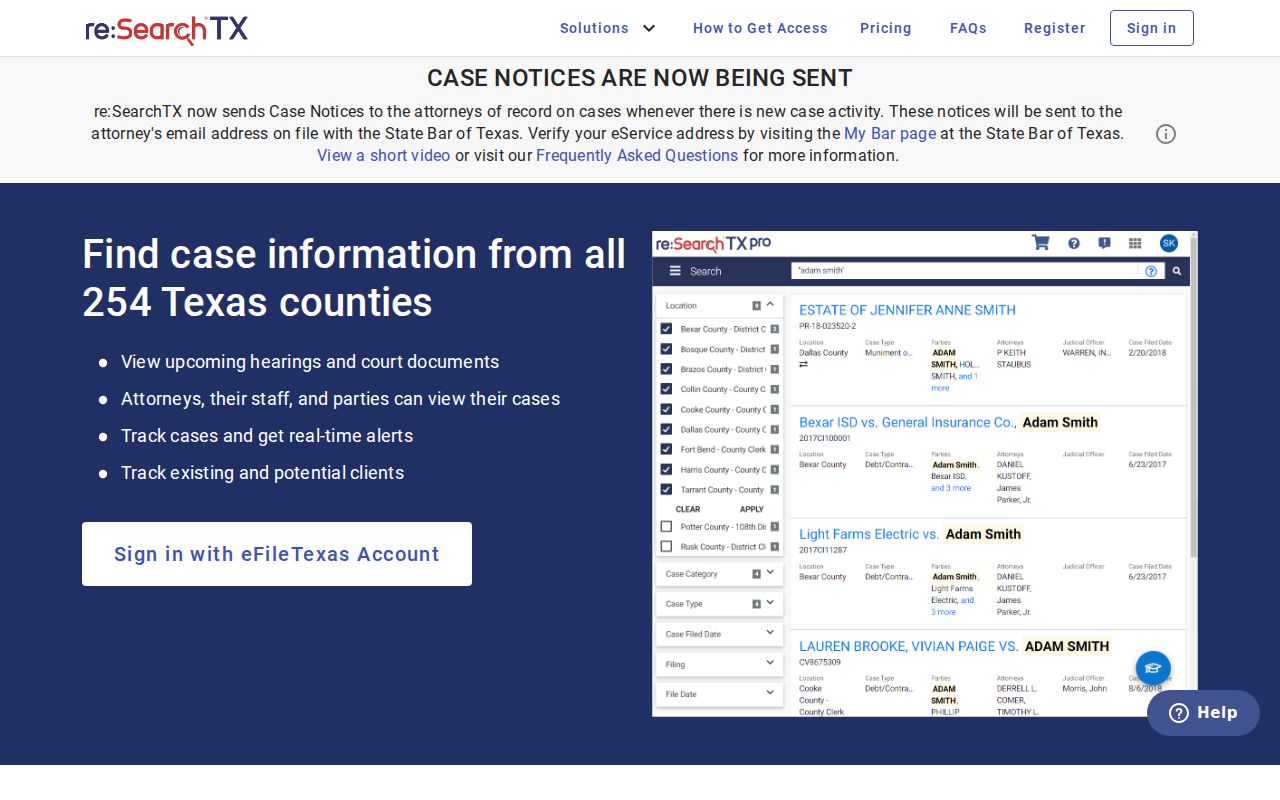
The statewide screen widens discovery, plain and simple. For Kerr County criminal files, it still cannot replace the local portal or the clerk.
When Kerr County Search Fails
When the Kerr County docket search stalls, step back before retrying. Some official links still point to an older public-access address. The current Tyler cloud URL is the one to use. If the portal redirects or will not return a case you expected, stop leaning on a stale browser flow. Check the category and number first. Then switch to a clerk channel. Call the District Clerk at 830-792-2281. Normal counter hours run 7:30 a.m. to 4 p.m. Its current page directs visitors temporarily to the Hill Country Youth Event Center, 3785 Texas Highway 27, because of the 2026 courthouse flood. The County Clerk, at 830-792-2255, keeps hours from 8 a.m. to 4:30 p.m. It announced a return to courthouse Suite 122 on September 2, 2026. A quick call before travel saves a wasted trip. Once you reach a clerk, ask what fits your need. Options include counter inspection, online images, a public terminal, or a written request by email, fax, mail, courier, or pickup. Give the court, the case number, and the document type. Add the date range, the copy type, and your contact details. A narrow request reaches the right court file faster than a broad sweep tied to a name.
Verify a Kerr County Case Result
A docket entry is only the start. Record the case number and the court. Then compare the latest docket event against any published hearing list. If a deadline, a hearing date, or a filing depends on the answer, confirm it with the office that holds the record. The District Clerk keeps district pleadings and papers. The County Clerk keeps county misdemeanor, probate, guardianship, and other assigned county-court records.
Do not confuse filing tools with search tools. eFileTexas handles electronic filing. Odyssey and re:SearchTX exist for access. A filer's account does not unlock sealed or protected material, and integration does not promise notice either. State materials say integrated civil and family notices began October 1, 2025. Self-represented parties were not then receiving automated notices.
Treat every case lookup result as a lead, not the last word. For a current setting, confirm through Kerr County court dates and call the responsible office.
Restricted Kerr County Cases and Access
Not every Kerr County court record shows up in public search results. Juvenile, sealed, expunged, protected, and non-digitized files may be left out. Texas Family Code Chapter 58 protects juvenile information. Expunction law can limit access to eligible criminal records. Rule 76a governs sealing in civil matters through a prescribed court process. Family and protective-order files raise their own concerns. They can hold addresses, child information, medical facts, or other data that cannot be republished.
The Texas courts open-records policy separates court case records from judicial administrative records. Rule 12 covers judicial records. Those sit outside the ordinary case-record rules. Access to a case file depends on statutes, common law, court rules, and the clerk's custody. The Texas Public Information Act treats county administrative records differently from judicial case files. Send each request to the right custodian.
One more caution. A missing search result does not establish that no case exists. It may reflect a restriction, a lag, or a different court. It may be an older format, or a record that is simply not online.
Kerr County Results Need Context
Treat a case lookup as a locator, nothing more. The words in a docket entry carry real weight. "Filed" does not mean "proved." A trial setting is not a conviction. Allegations get disputed, hearings get reset, and a status label can lag behind a signed order. So read the whole sequence of entries and lean only on exact terms the record supports.
Kerr County adds a wrinkle. The 198th Judicial District covers Kerr and Bandera Counties, and the 216th covers Kerr and Gillespie Counties. When a statewide search returns a match, confirm the case truly belongs to Kerr County and the right court before you rely on it. Federal cases live in PACER under the Western District of Texas, not Kerr Odyssey.
Access details were checked September 3, 2026. Portal settings, clerk locations, and access terms shift over time. Verify anything current with the court or clerk that issued the record.